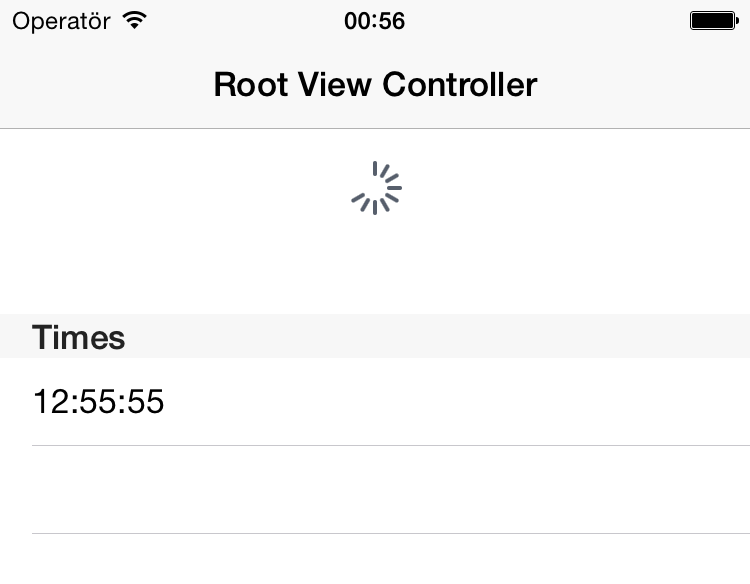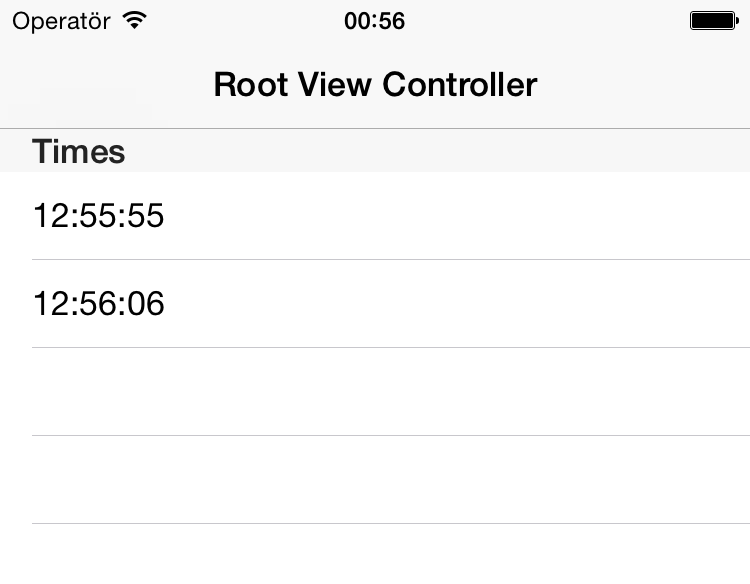
IOS Swipe Down to Refresh TableView
20 Jul 2015A lot of iOS apps using swipe down to refresh for new datas, updates vs. Whenever user swipes down from top, a loader will be shown and will disappear once the new content is loaded.
Firstly we create Single ViewApplication after delete default ViewController class and delete default view in storyboard. After drag and drop Navigation Controller object into the storyboard.
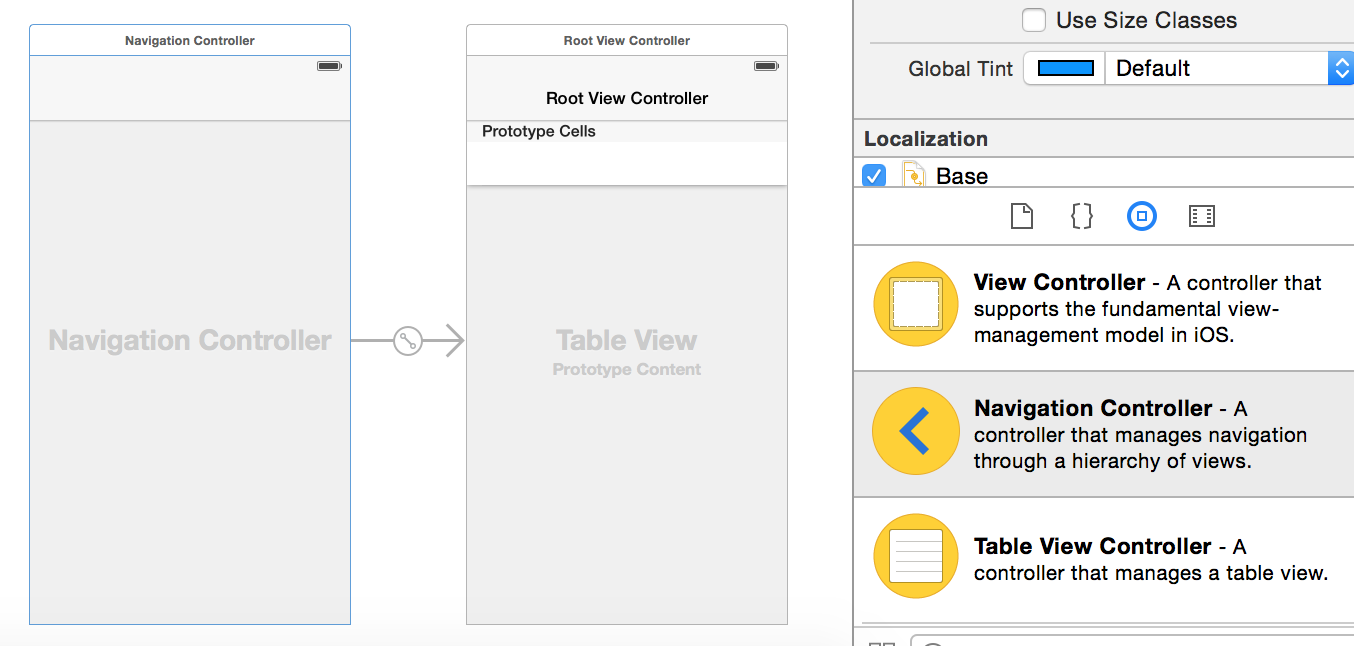 Now we create Cocoa Touch Class named
 TableViewController with UITableViewController subclass.
  @interface TableViewController : UITableViewController
    @property NSArray *array;
    @property NSMutableArray *mutableArray;
  @end
Finally open TableViewController.m and do the below changes to achieve the swipe refresh table view.
@interface TableViewController ()

@end

@implementation TableViewController
@synthesize array;
@synthesize mutableArray;

- (void)viewDidLoad {
    [super viewDidLoad];

    UIRefreshControl *refresh=[[UIRefreshControl alloc]init];

    self.refreshControl=refresh;

    mutableArray=[NSMutableArray array];

    array=@[mutableArray];

    [refresh addTarget:self action:@selector(refreshLayout) forControlEvents:UIControlEventValueChanged];

}

-(void)refreshLayout{

    NSDateFormatter *formatter=[[NSDateFormatter alloc]init];
    [formatter setDateFormat:@"hh:mm:ss"];

    NSString *string=[formatter stringFromDate:[NSDate date]];

    NSLog(@"%@",string);

    [mutableArray addObject:string];

    [self.tableView reloadData];

    [self.refreshControl endRefreshing];

}

- (void)didReceiveMemoryWarning {
    [super didReceiveMemoryWarning];
}

- (NSInteger)numberOfSectionsInTableView:(UITableView *)tableView {
    return array.count;
}

- (NSInteger)tableView:(UITableView *)tableView numberOfRowsInSection:(NSInteger)section {
    return [[array objectAtIndex:section] count];
}


- (UITableViewCell *)tableView:(UITableView *)tableView cellForRowAtIndexPath:(NSIndexPath *)indexPath {
    UITableViewCell *cell = [tableView dequeueReusableCellWithIdentifier:@"Cell" forIndexPath:indexPath];

    cell.textLabel.text=[[array objectAtIndex:indexPath.section] objectAtIndex:indexPath.row];

    return cell;
}

-(NSString *)tableView:(UITableView *)tableView titleForHeaderInSection:(NSInteger)section{
    return @"Times";
}

@end
Run the project and test it. You should able see the swipe refresh animation on app launch and list view updated each time you swipe down it.